
In short, the module acts as your automatic alarm system, catching red flags long before you risk granting credit to the wrong companies. By automating the screening process, you skip the heavy manual detective work and can proactively prevent losses from shell companies or fraudulent transactions. At the same time, it makes daily operations much easier when it comes to complying with current KYC and AML requirements. The result is simply peace of mind—allowing you to focus entirely on your good, healthy customers while the system stands guard in the background
Overview
Setting up the module
As soon as you have gained access to the Fraud Module, it will appear as a new menu item on the left side of your screen, along with your other features.
Start by clicking on Fraud Module.
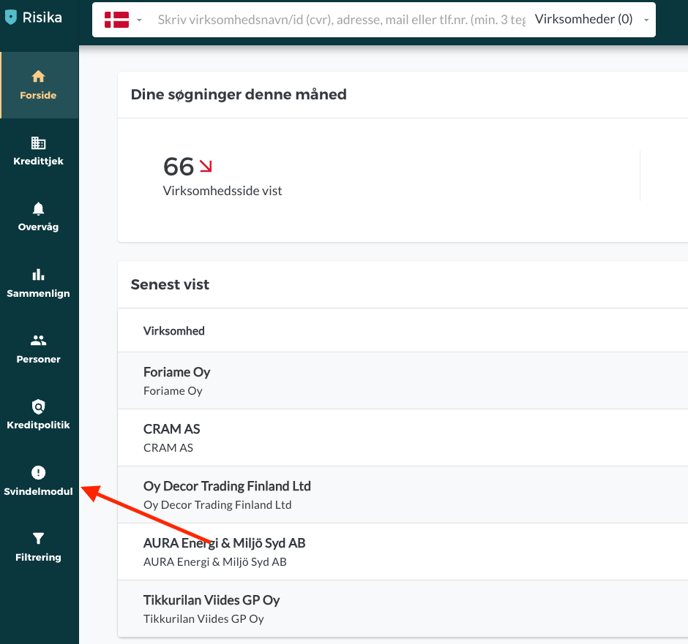
Once you are inside the module, the setup itself is completed in three simple steps:
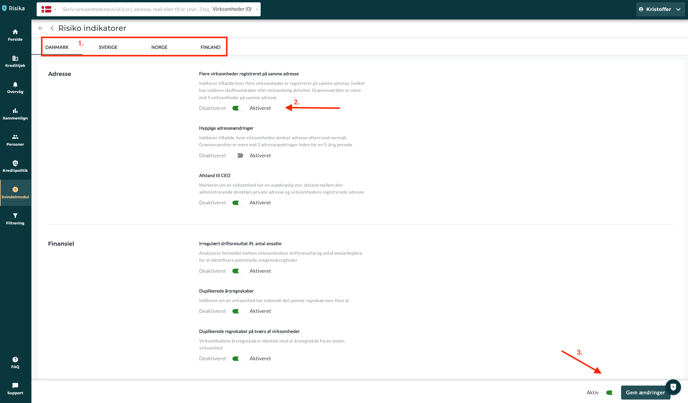
Select the country you wish to set up the Fraud Module for.
Activate the specific risk indicators that make sense for you to monitor.
Click "Save changes" to activate your setup.
The Credit Check page
Once the Fraud Module is activated, its warnings will become visible on the Credit Check page when you look up a company on the Risika platform.
By default, the Fraud Module is located in the bottom right corner.
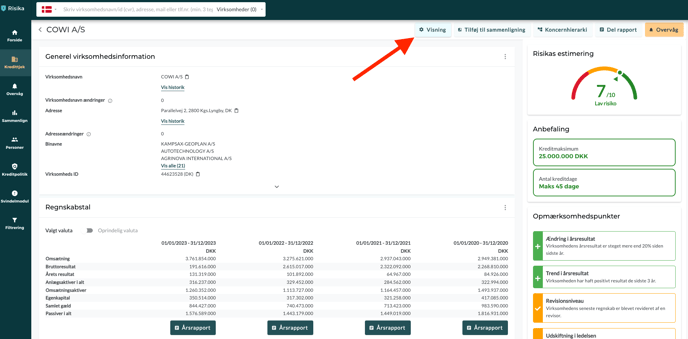
Do you want to make the warnings more visible? Then you can easily move the box by following these steps:
Click on "View" at the top of the page.
Find the "Risk indicators" box in the overview on the right. Drag it to the top (or to your preferred location), and then click "Save".
.png?width=688&height=292&name=Apr%204%20Screenshot%20from%20Risika%20(1).png)
The Fraud Module will now be located at the top of your Credit Check page, so you never overlook important warnings when checking a customer.
.png?width=688&height=229&name=Apr%204%20Screenshot%20from%20Risika%20(2).png)
Monitoring
The Fraud Module is also integrated into your daily monitoring. First and foremost, you will notice a new column in your monitoring list. It gives you a lightning-fast overview of whether any of the companies you monitor have triggered risk indicators.
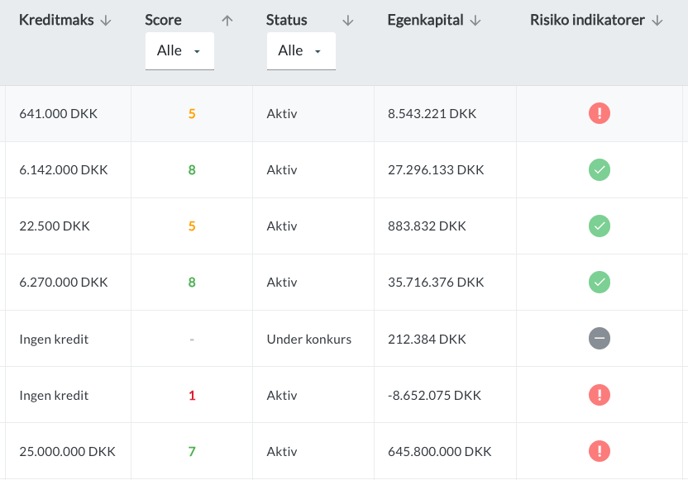
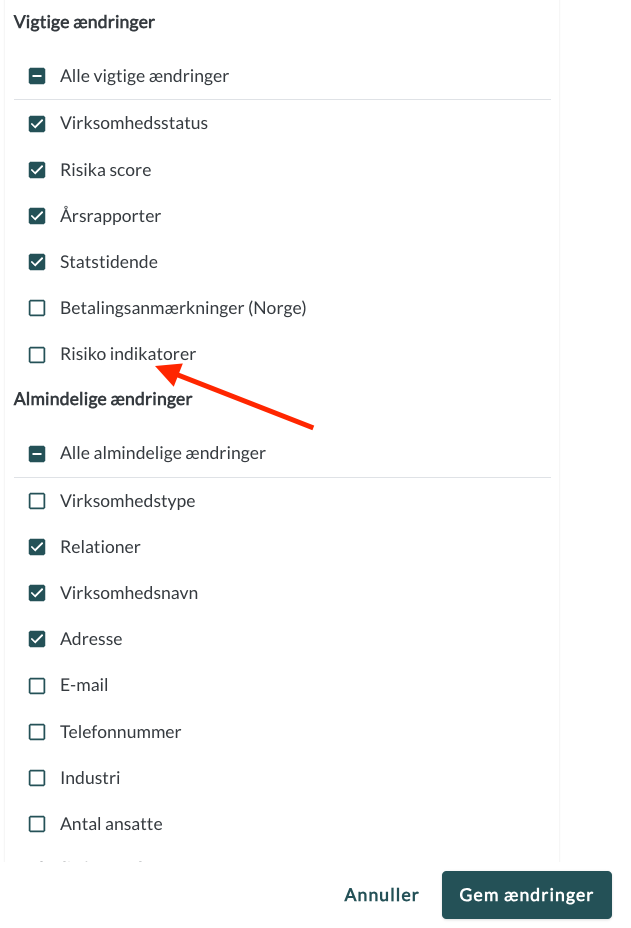
In addition, we recommend that you adjust your notification settings. Here you can choose to receive an email if one of your monitored customers suddenly gets a red flag – for example, if they submit a duplicated financial statement or change address under suspicious circumstances.
###Do you need help?
Are you left with questions about the Fraud Module, or is there anything else we can help with? Our team is always ready to assist you.
You are welcome to contact us:
E-mail: Write to us at support@risika.com
Live chat: You can easily reach us via the chat, which you will always find in the bottom right corner of our website.