
Welcome to the Risika integration for Microsoft Dynamics 365 Finance & Supply Chain Management!
Our module brings real-time financial risk intelligence directly into your F&SCM environment, allowing you to automate credit decisions and keep your master data up to date without switching platforms.
Here is an overview of the key features available in the integration:
1. Risika Parameters Setup
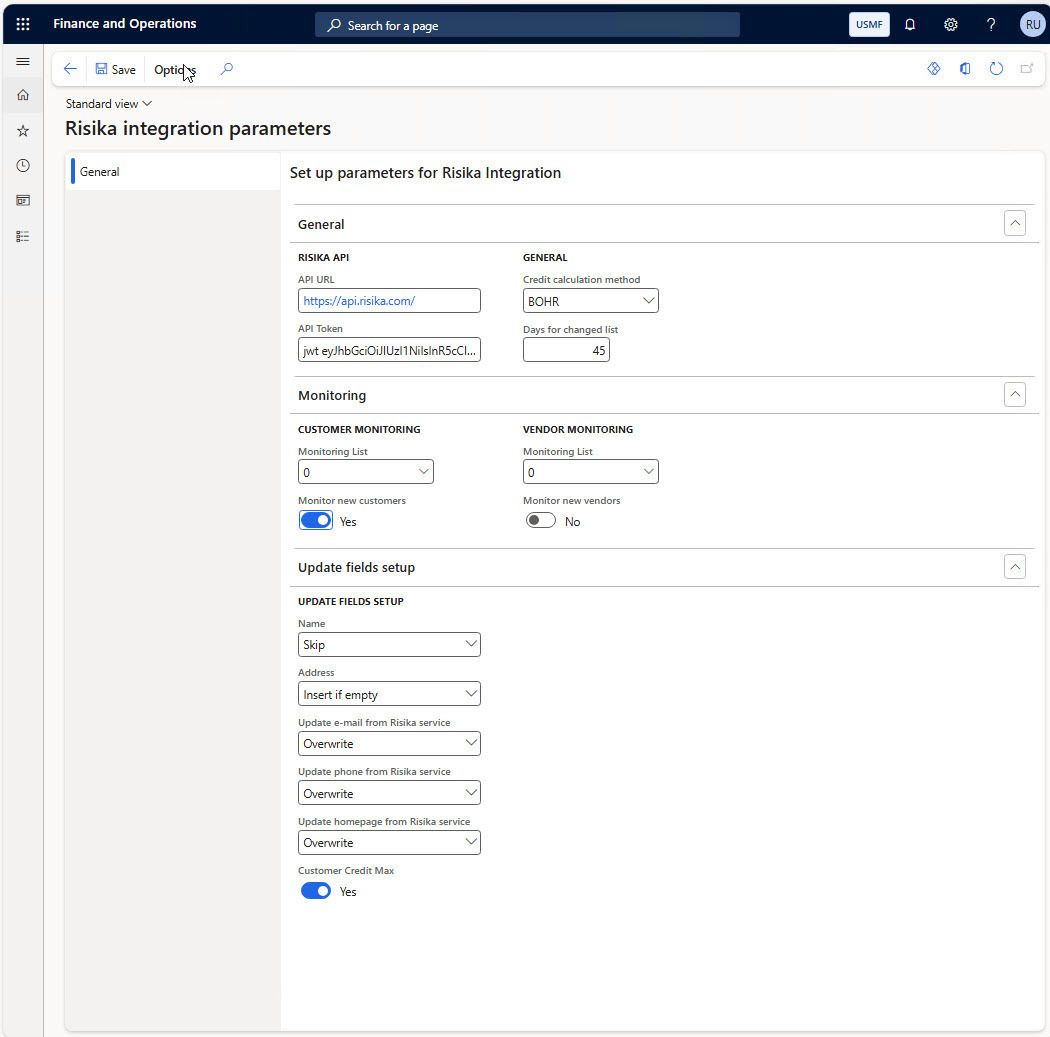
Easily configure the integration to fit your internal business workflows. In the parameters setup page, you can:
Connect your Risika API URL and API Token.
Choose your preferred credit calculation method (e.g., BOHR).
Enable and manage automated monitoring for new customers and vendors.
Define exactly which master data fields (such as address, email, phone, and homepage) Risika should automatically insert, skip, or overwrite to keep your ERP clean.
Choose whether to automatically update the Customer Credit Max.
2. Company Search
Find and create new business partners seamlessly. The dedicated "Search Companies" view allows you to:
Search the Risika database using filters like Country/region, Name, City, ZIP/postal code, Free search, or GLN.
Instantly view the Active status, Risika Score, VAT Registration, and address details directly from the search results before creating the entity as a Customer, Vendor, or Contact.
3. Customer List FactBox
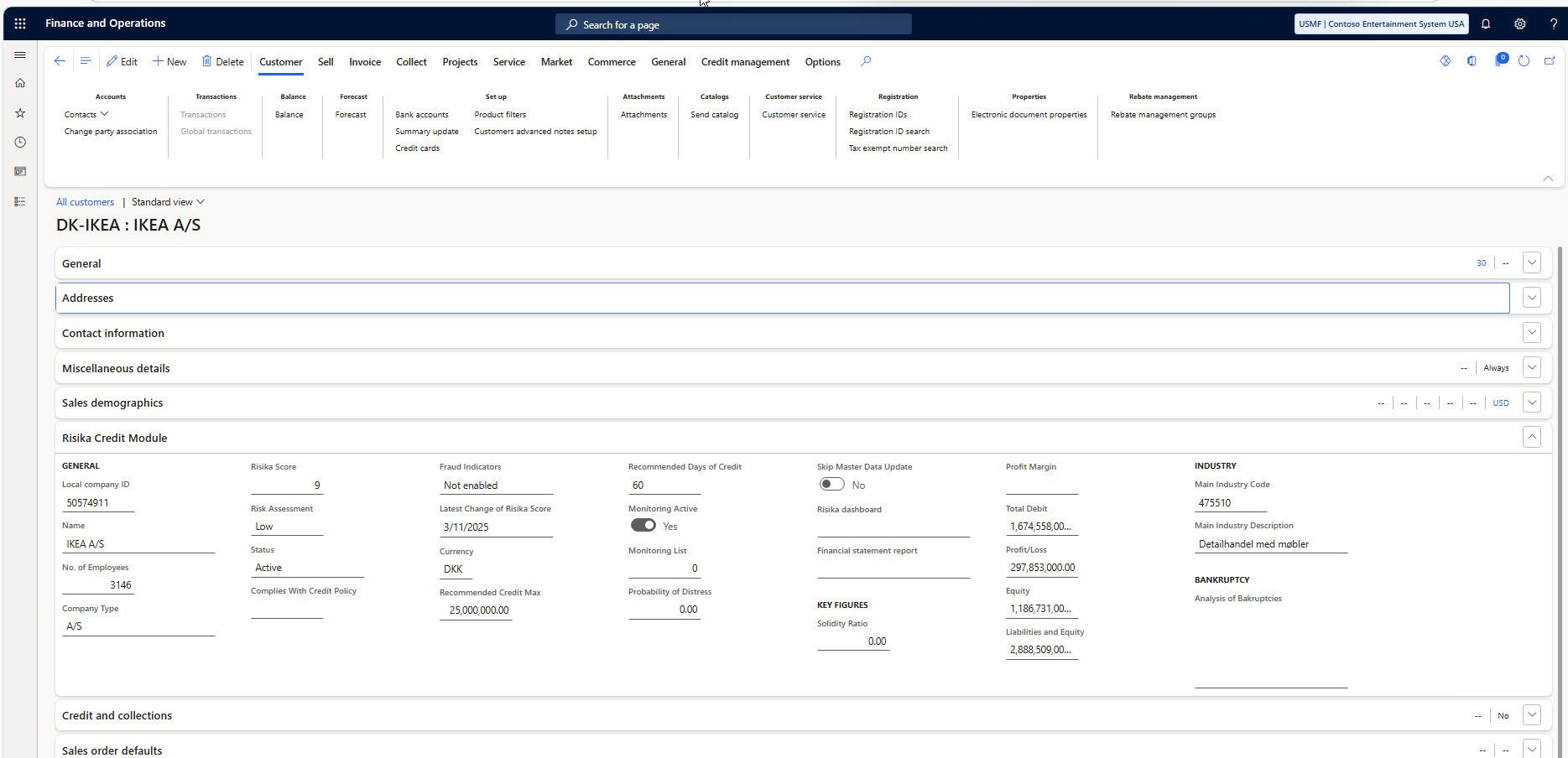
Get a quick credit health overview straight from your "All customers" list. The Risika Credit Module side panel provides instant access to key data without having to open the full customer profile:
The customer's current Status (e.g., Active).
Current Risika Score (e.g., 9/10).
Recommended Credit max and Credit days.
4. Detailed Customer Credit Module
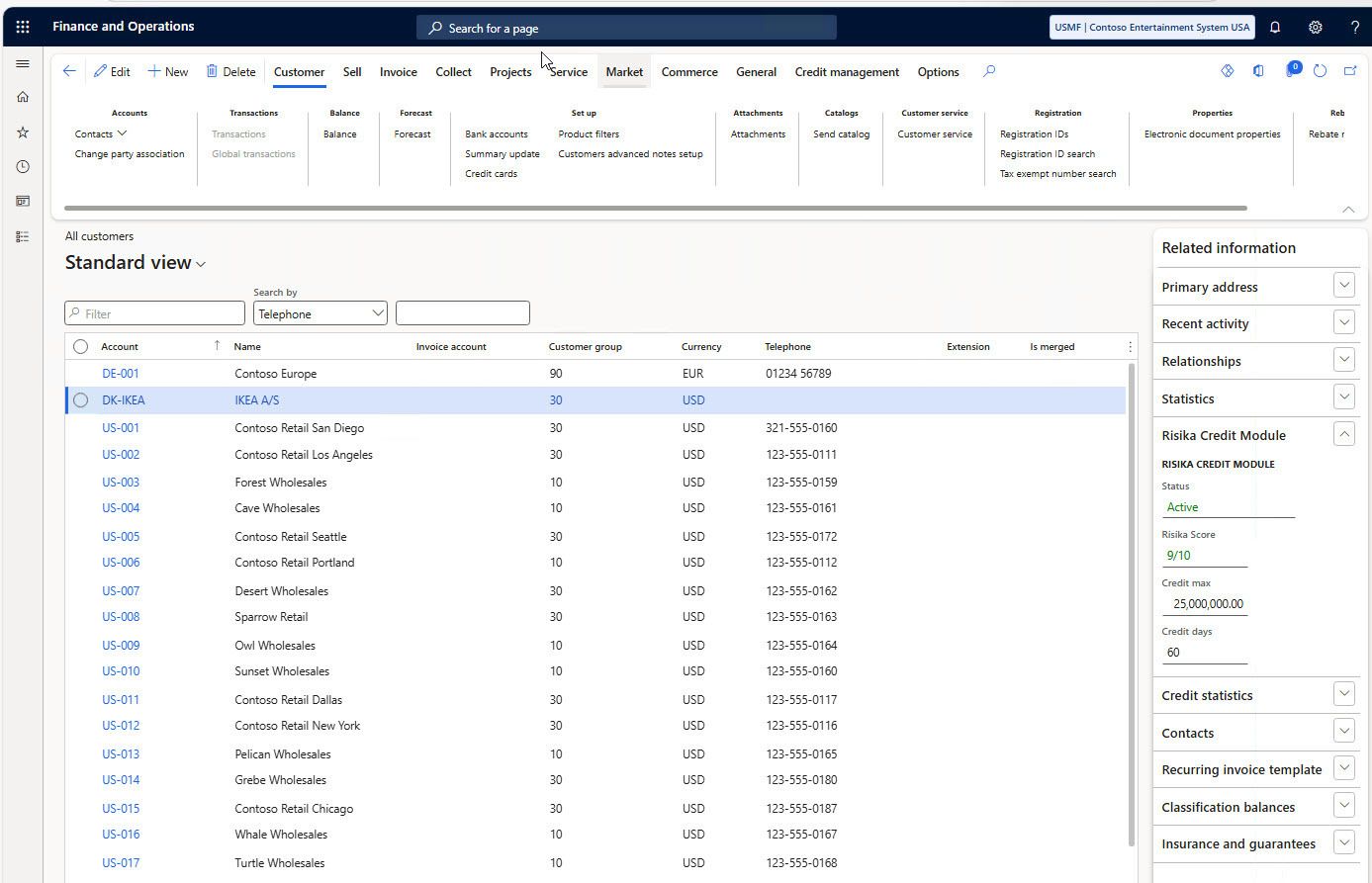
Dive deeper into individual customer risk profiles. On the specific Customer card, the dedicated Risika Credit Module tab displays comprehensive data to guide your financial decisions:
General & Rating: View the Risika Score, Risk Assessment (e.g., Low, Medium, High), Status, and whether the customer complies with your active Credit Policy.
Credit Recommendations: See the Recommended Credit Max, Recommended Days of Credit, and Probability of Distress.
Risk Indicators: Check for active Fraud Indicators.
Financials & Industry: Access essential key figures like Profit/Loss, Equity, Total Debit, Solidity Ratio, and primary Industry Codes.
Contact Information
Need help setting up your integration or understanding a credit score? We are always here to help!
Email: support@risika.com