
This guide is designed to help you get the most out of the Credit Check page on the Risika platform. We will walk through the core features and show you how to use them in your daily work to make well-informed decisions.
On the Credit Check page, you will find all necessary data consolidated in one place. Below is a detailed breakdown of each section.
Overview:
- Vide Walkthrough
- Generel Company Information
- Financial Figures and Key Ratios
- Ownership and Management
- Group Hierarchy
- Risika Scorer and Recommendation
- Additional Tools and Features
Video Walkthrough
Watch this short introduction to learn how to use the Credit Check feature most effectively.
When you search for and select a company, you are presented with the full overview:
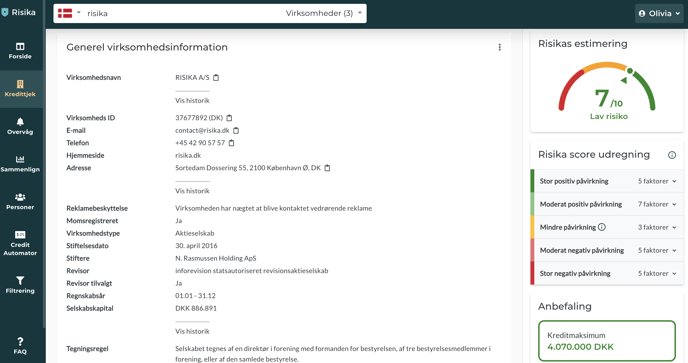
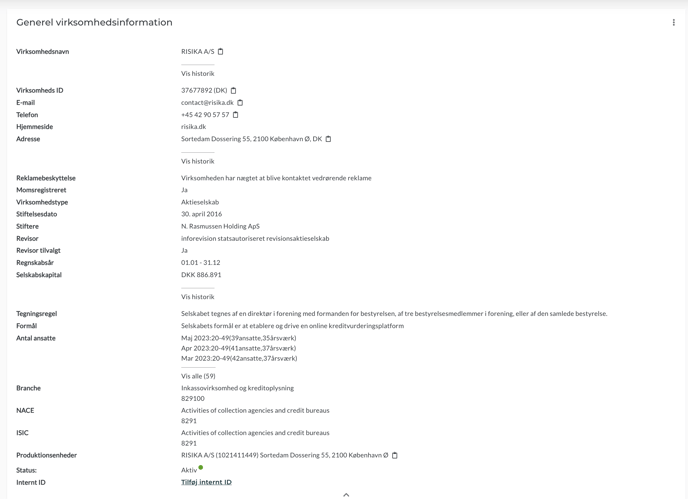
Generel Company Information
Here you will find the basic master data for the company. This section serves as a quick reference where you can get an overview of the address, status, industry, and other fundamental information.
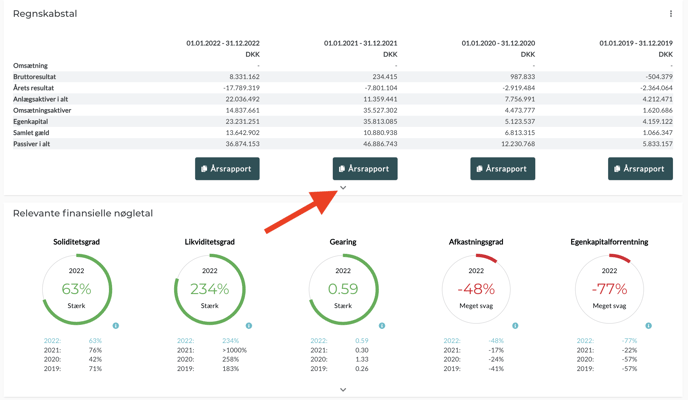
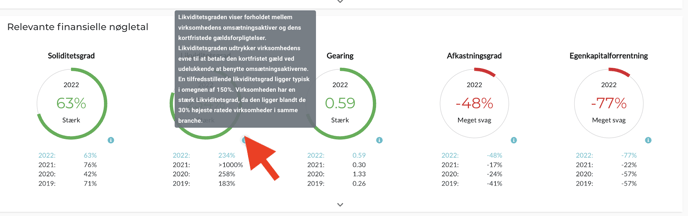
Financial Figures and Relevant Key Ratios
Get a quick insight into the company's financial health.
Annual Reports: You can download the original annual accounts directly via the "Annual Report" button.
Expanded View: Click the small black arrow to expand sections and view more details.
Industry Benchmark: We compare key ratios with the industry average, allowing you to see how the company performs relative to its competitors.
Guidance: Hover over the small "i" (information icon) for a precise definition of each key ratio.
Ownership and Management
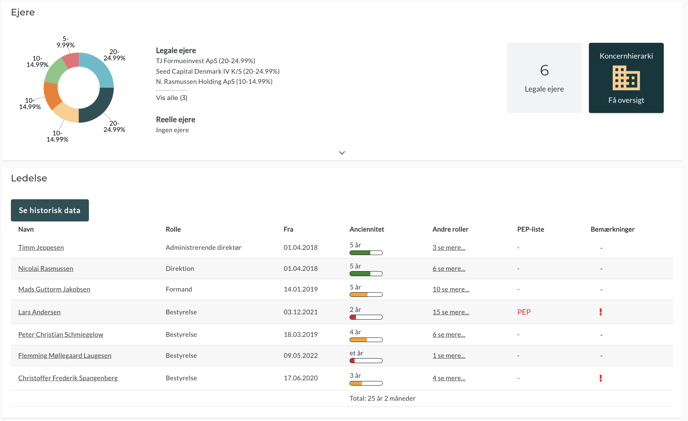
Under the "Owners" tab, you can dive into the company structure. By clicking on a person under management, you get direct access to Personindblik.
Here you will find information regarding:
Roles and seniority.
Relations to other companies.
PEP status (Politically Exposed Persons).
History of related bankruptcies.
*Information about beneficial owners is protected
The information is now locked by default, but you can easily gain access. Click the yellow button with the lock icon and follow the instructions: Simply state a legitimate purpose (such as anti-money laundering checks), provide your own business registration number, and confirm that the data will not be used for marketing purposes. The ownership information will then be displayed immediately.
Group Hierarchy
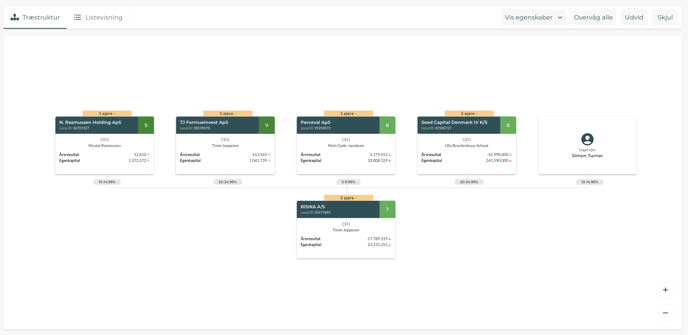
Understand the underlying structures: Is the company part of a larger group? Are there parent or subsidiary companies?
You can find the hierarchy at both the top of the page and under the "Owners" section.
View: Choose between a visual tree structure or a clear list view.
Functions: Use "Expand" to see the full structure or "Hide" for a simplified overview.
Mass Monitoring: With one click on "Monitor all," you can add the entire group to your monitoring list overvågning.
Risika Score and Recommendation
On the right side of the platform, you will find our assessment on a scale of 1-10, a specific credit recommendation, and suggested credit days. We also show the primary calculation points that form the basis of the assessment.
Read more about our scoring model: her.
Additional Features
At the top of the page, you have access to four additional functions:
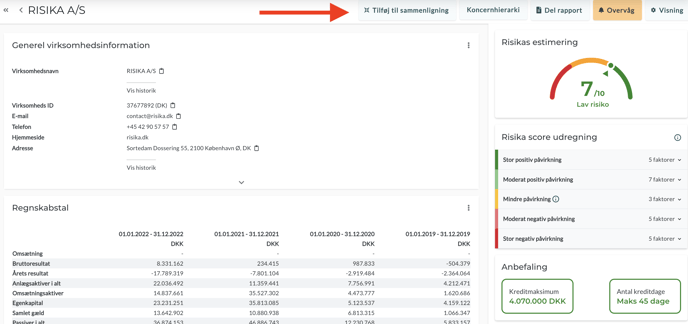
- Add to Comparison: Compare the company directly with another player. Read more about Sammenligning.
- Share Report: Generate a professional PDF report. This is a powerful tool for internal documentation or for dialogue with a customer if they have questions regarding their credit limit.
- Monitor: Add the company to your monitoring list instantlyOvervågning.
- Customize View: Tailor the page to your needs. If you work in finance, you might prefer financial ratios at the top—if you are in sales, you might prefer general company info first. Simply drag the boxes and click "Save."
Need help?
Do you have questions about the features, or do you need help getting started? Please feel free to reach out to us at support@risika.com or via the live chat directly on our platform.