
In this article, we will walk you through how to set up both simple and advanced credit policies, and how to integrate this tool into your daily workflow to ensure better oversight and financial security.
An active credit policy helps you quickly identify which companies qualify for credit and which should be charged upfront. You can also use the policy to define your own parameters—for example, by allowing a higher credit limit than Risika’s standard recommendation (e.g., by a factor of x1.5) for your most solid customers.
Overview
- Video Walkthrough
- Credit Policies
- Policy Rules
- Activate your Policy
- How the Credit Policy is Reflected on the Risika Platform
- Credit Check
- Monitoring
- Risk Intelligence
Video Walkthrough
Watch this short introductory video, where we go through the most important features and demonstrate how the credit policy works in practice.
Credit Policies
Depending on your subscription, you have the option to set up individual credit policies for Denmark, Sweden, Norway, and Finland.
Please note that certain advanced rules require a Pro or Enterprise plan. These will be marked as "Advanced" within the system.
In the menu, you can easily switch between countries to adapt your rules to local market conditions.
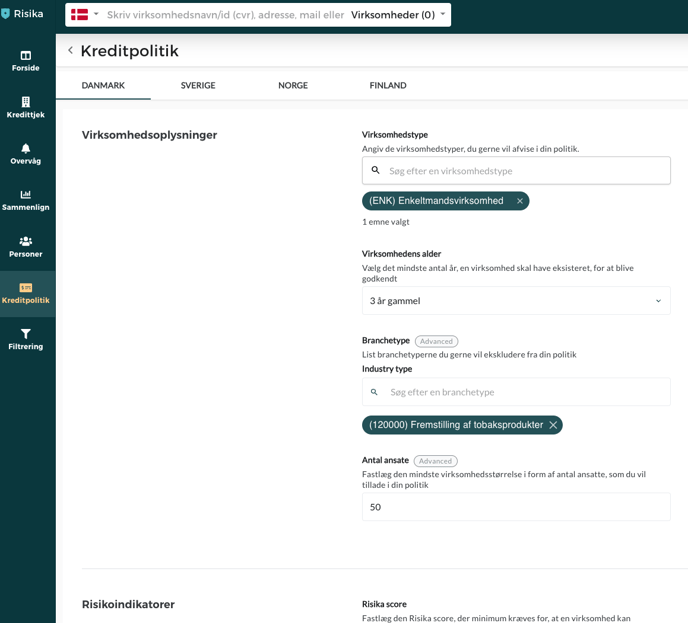
Rules in your Credit Policy
Below is an overview of the most commonly used rules you can activate. Please be aware that data availability varies by country (e.g., payment defaults are a key indicator in Norway).
Excluded Company Types
Exclude specific legal structures, such as sole proprietorships that do not publish public accounts. The company can still be searched but will be flagged as "Rejected."
Minimum Risika Score
Define the lowest acceptable score for granting credit.
Negative Equity
Specify whether companies with negative equity can be approved and for how many consecutive years this is permissible.
Minimum Company Age
Protect yourself against risks associated with startups by setting a minimum age requirement.
Audit Reports
Filter companies based on specific types of auditor remarks (e.g., qualified opinions).
Related Bankruptcies (10 or 50 years)
Choose the maximum number of previous bankruptcies the management or board may have been involved in over the last 10 or 50 years.
Specific Companies & Individuals
Blacklist specific VAT/CVR numbers or individuals (directors/board members) to receive an automatic warning if they appear in new companies.
Industries
Exclude entire sectors that your company does not wish to grant credit to.
Distance to CEO
An indicator of potential "front" companies. You can set a limit on the geographical distance between the company's registered address and the director's residential address.
Auditor Requirements (MNE)
Require that the company uses a certified auditor with a valid MNE number.
Phone Data
Choose whether to allow companies using prepaid SIM cards (often a risk indicator) or require an officially registered phone number.
Activate your Policy
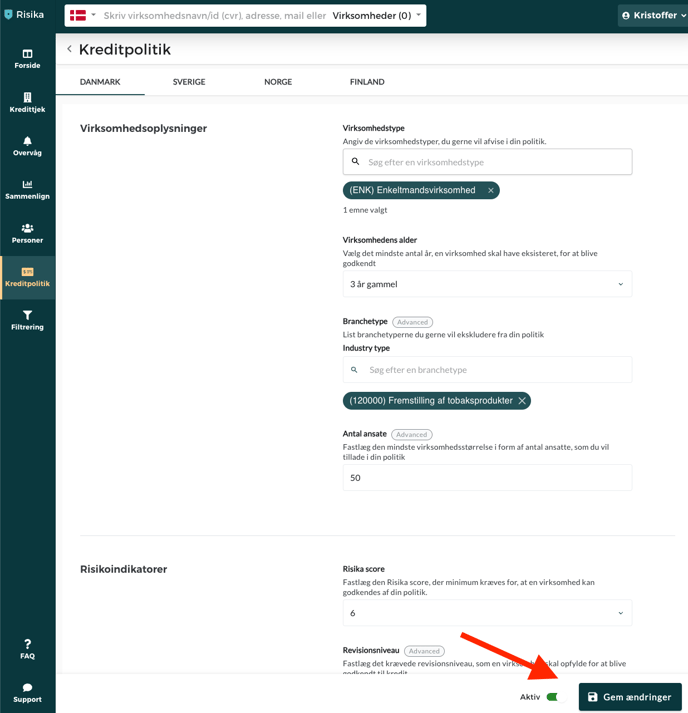
Once you have customized your rules, your policy must be saved and activated to take effect.
Click "Save Changes" in the bottom right corner.
Toggle "Activate Policy" to on.
How the Credit Policy is Reflected on the Risika Platform
Once the policy is active, it will guide you in three key areas
- Credit Check
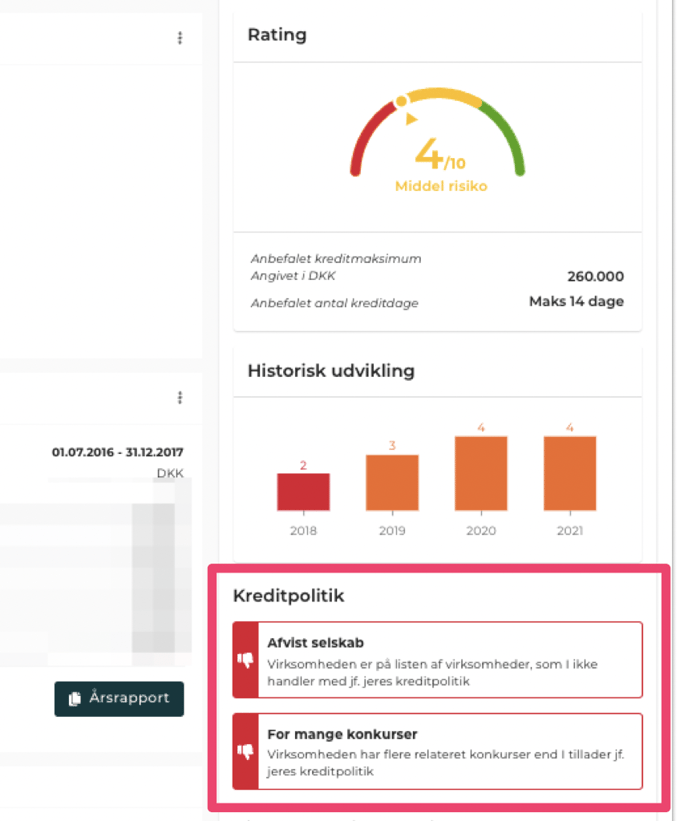
When searching for a company, you will immediately see if it meets your requirements. The image below shows a company rejected due to previous bankruptcies and its presence on an exclusion list.
- Monitoring
On your monitoring list, companies that do not comply with your policy will appear in light gray text. Hovering your mouse over the name will provide a specific explanation for the rejection (e.g., "Company age too low").

- Risk Intelligence
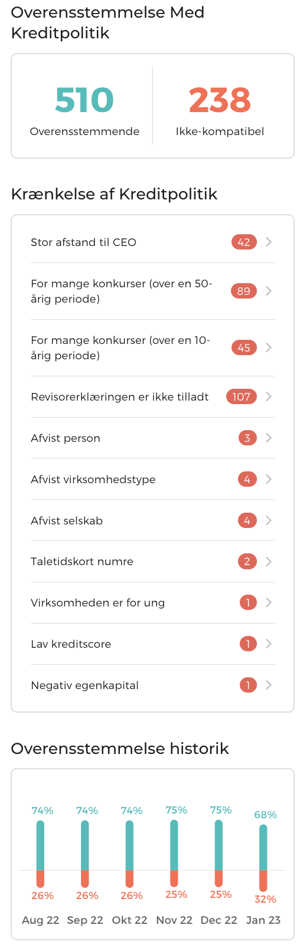
This section provides a complete overview of your portfolio. You can see exactly what percentage of your monitored customers comply with your credit policy. You can also set up a daily email report to stay ahead of any changes in portfolio compliance.
Need help?
Do you have questions regarding the setup or features? Our support team is ready to assist you. Contact us at support@risika.com or use the live chat directly on our website.